
Merchants can access the Consumer portal or RMA Portal through the Create Return button in the ReturnBear Admin. Accessing either portal this way launches it in Admin Mode.
Admin Mode enables merchants to create return requests:
- For items/orders that fall outside of the return window
- That override any configured rules related to return eligibility (i.e. returning final sale items)
- That override any boxes left unchecked on the Return Policy Checklist
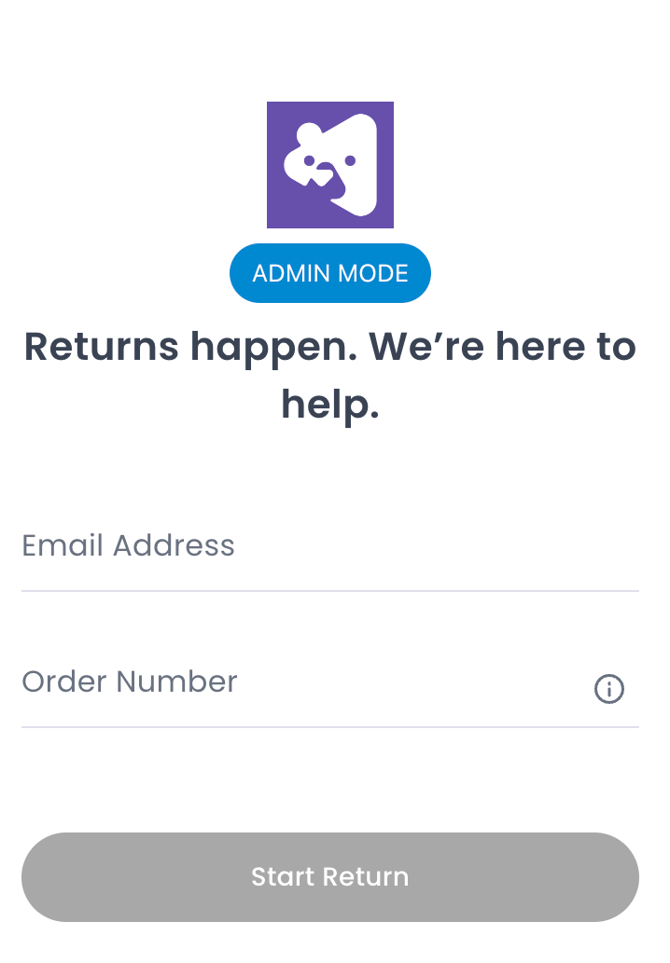
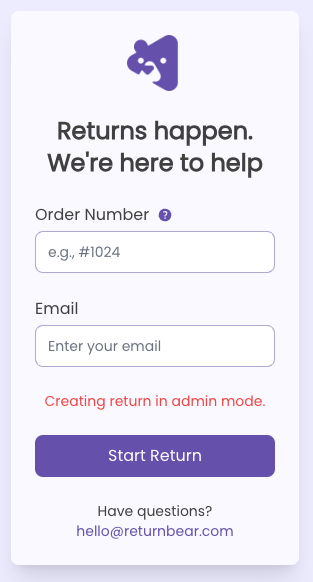
To identify whether or not the Consumer portal is launched in Admin Mode, look for the blue ADMIN MODE icon. To identify whether or not the RMA Portal is launched in Admin Mode, look for the red Creating return in admin mode message.
Consumer portal in Admin Mode
|
RMA Portal in Admin Mode
|
Follow the usual steps, depending on the portal, to submit a return request in Admin Mode:
- How to submit return requests using the Consumer portal
- How to submit return requests using the ReturnBear RMA Portal
Return requests created in admin mode are automatically Approved once submitted. This means the customer will be issued their QR code or shipping label via email, depending on the Return Service selected, immediately.