
Note: This section of the ReturnBear Admin is only visible to merchants who are configured to issue payouts manually.
To view all returns pending reimbursement, click on Payout under Returns:
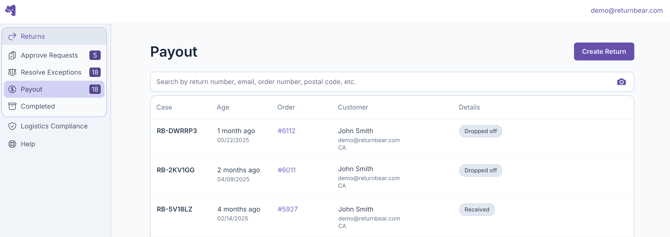
When you click on a return that appears under Payout, you will be able to view its details and click on Refund to issue a payout to the customer.
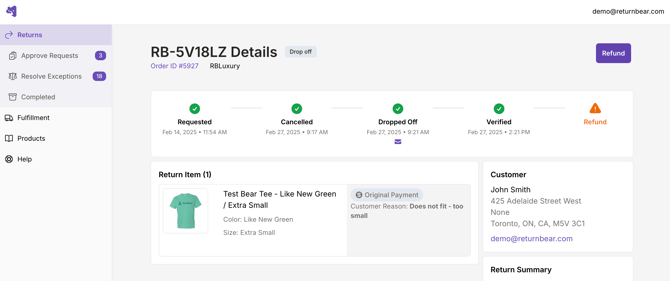
Clicking Refund will issue a payout to the customer based on their selected payout method:
- Original Payment: A refund will be issued to the customer's original payment method (i.e. the payment method used at the time of purchase)
- Store Credit: The customer will receive a gift card for store credit
- Exchange: The customer's exchange order will be fulfilled