If a return case has failed verification, it will appear under Resolve Exceptions for review:
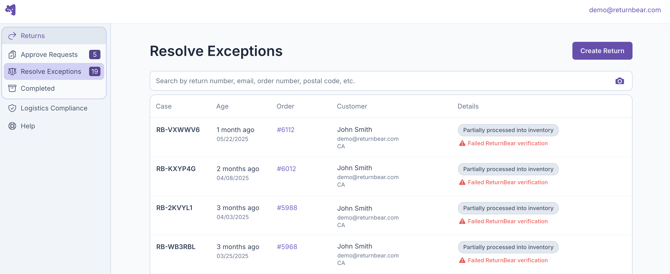
An item in a return case is considered to have failed verification if it is:
- Unreceived: Item is declared in the return case but is not returned
- Damaged: Item returned is received showing signs of wear, use, or damage
- Unknown: Return or parcel received does not exist in ReturnBear's system and cannot be processed
Looking for information about Undeclared items? Click here.
When and where a return case can fail verification
Return cases can fail verification at a ReturnBear Return Point or Hub.
Returns for Instant Refund (Drop-off)
If a return case fails verification at the time of drop-off, the customer will not be turned away. Instead, the verification status of their return will be recorded and their return will be accepted.
If their payout has been held, they will receive the following email 20 minutes after dropping their return off notifying them that secondary inspection of their return is required, delaying their payout:
ReturnBear strongly recommends waiting until the secondary inspection has taken place at our warehouse before issuing any payout to the customer from your end.
You will not be prevented from releasing the payout before the secondary inspection is complete, however waiting ensures that you receive complete information regarding the condition of the returned item(s).
All returns
Any return that arrives at a ReturnBear Hub undergoes verification to determine the overall condition of the returned items. For more information, see Service Definitions and Standard Operating Procedures (SOPs).
If a return case fails verification at a ReturnBear Hub because an item is received damaged, you will receive the following automated email notification:
The email contains a direct link to view the return case in the ReturnBear Admin where you can review the return case details and resolve the exception.
When payouts are held
Whether or not the payout to the customer is held depends on the type of exception.
Exception |
Payout held |
Explanation |
| Unreceived |
✗ |
Items marked as Not Returned are automatically excluded from the customer's payout and the customer will receive a payout for any items marked Returned only |
| Damaged |
✓ |
Items marked as Received Damaged cause the payout for the entire return case to be held |
| Unknown |
N/A |
Since the item or return does not exist in ReturnBear's system, the payout cannot be held or released |
Exception details
To view a return case that has failed verification either:
- Click on the link in the email (for Damaged only) OR
- Navigate to the Resolve Exceptions section of the ReturnBear Admin and click into any return case OR
- Search for a specific return case from the All Returns page in the ReturnBear Admin
The details available pertaining to failed verification vary depending on the type of exception.
Exception |
Details available |
| Unreceived |
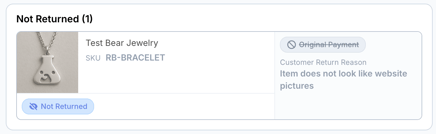
Unreceived items can be found listed in the Not Returned card with a blue Not Returned label:
|
| Damaged |
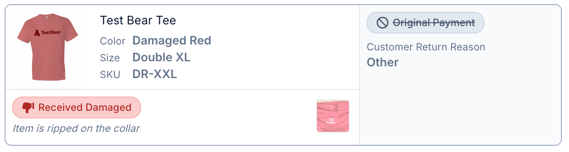
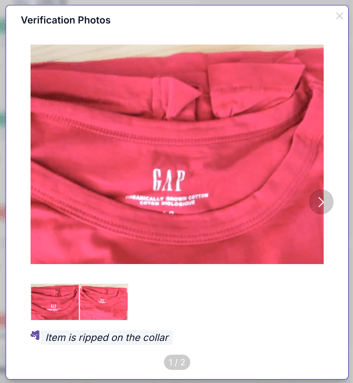
Damaged items can be found listed in the Returned Items card with a red Received Damaged label:
A written description of the damage as well as photos of the item are available for review. To view a photo in detail, click on it.
|
| Unknown | Details regarding Unknown returns or parcels are not available in the ReturnBear Admin. Check your inbox for an email from ReturnBear Support with the details instead. |
Resolving failed verifications
Once you have reviewed the details as to why the return case failed verification and if the return case failed verification due to damaged items, click on the Resolve button to proceed.
The Resolve Return Case Exception modal will appear with 2 options:
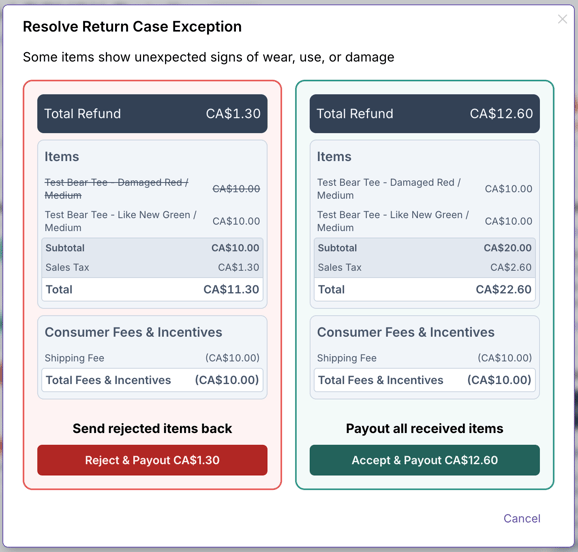
- Reject & Payout: All items that were Received Damaged will be excluded from the payout issued to the customer and only items that passed verification will be remitted
- Accept & Payout: All items in the return case, including those that were Received Damaged will be remitted
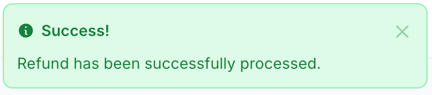
Select the option that aligns with the action you would like to take. Once you have clicked on either Reject & Payout or Accept & Payout you will receive a notification confirming that the payout has been successful:
If needed, you may open the corresponding Shopify order to confirm the payout has been released to your customer.
Note: ReturnBear cannot trigger any payout actions for Undeclared items or Unknown returns/parcels. If the item received does not appear in the or a return case, you must take any desired payout actions outside of ReturnBear.
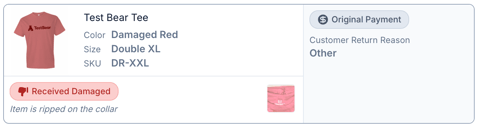
If Reject & Payout is chosen, any items that were not included in the payout will have their payout method stricken out on their individual cards
and the Return Summary will be updated to exclude the rejected item(s) from the customer's payout.